
The software for construction progress tracking that records your site day by day
Photos, site reports, drawings and provisional handover: everything on one timeline per project. Your crew uploads from the site, you share progress with clients and subcontractors.
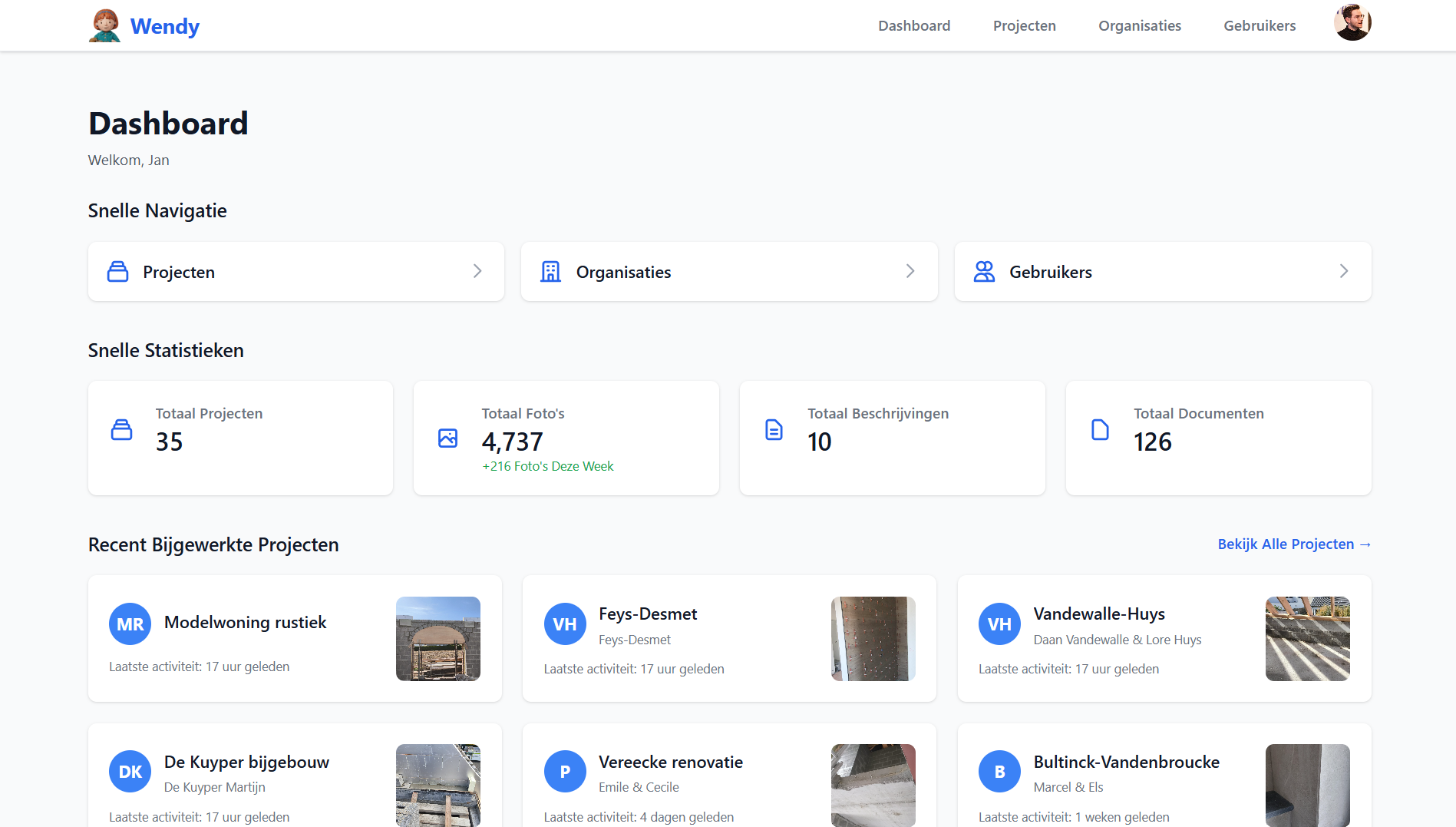 Captured this week
128 photos
across 7 active sites
Site report Ready in 2 min
Provisional handover
18 of 24 items
Proof when it matters
Captured this week
128 photos
across 7 active sites
Site report Ready in 2 min
Provisional handover
18 of 24 items
Proof when it matters
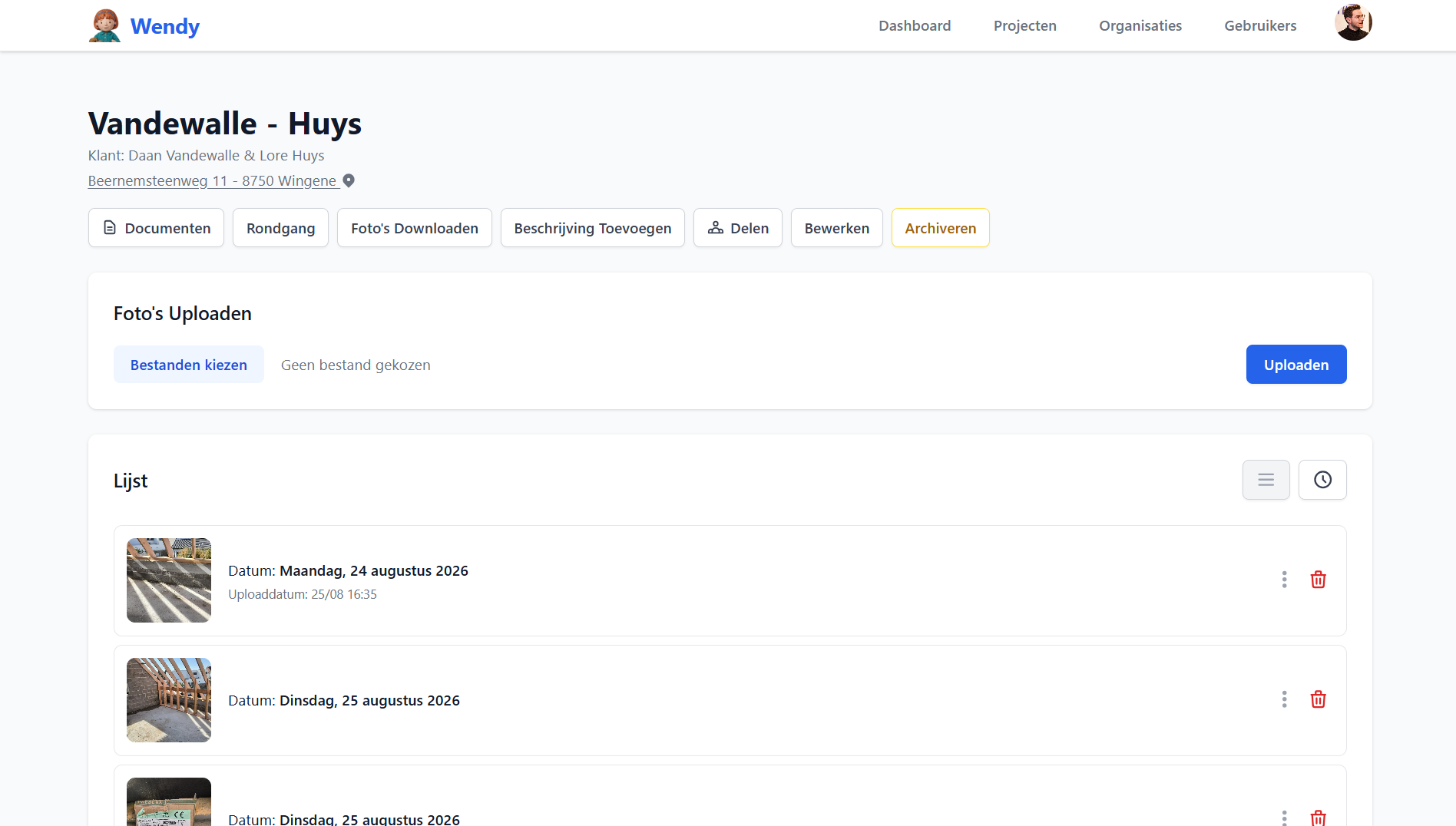

One overview of every site, from first setting out to final handover.
Everything progress tracking needs, in one place
Photo timeline per site
Your crew uploads photos straight from the site. Wendy reads the capture date and location and groups everything by day, so months later you still see exactly what happened when.

Site reports and variations
Log progress, issues, extra work, materials and deviations from the drawings. Every note is tied to a date and a site, with the photos as evidence right next to it.

Provisional handover and walkthrough
Walk the site, photograph each item and add the remark. Wendy turns it into a printable list you can share with the client or subcontractor immediately.

How it works
Create a site
Add the name, address and client. Done in half a minute.
Your crew adds photos
Everyone on site uploads from their phone. No training needed.
Share and hand over
Share the timeline or print the handover list. Your file is always complete.
Frequently asked questions
What is software for construction progress tracking?
Software for construction progress tracking records what happens on a building site day after day: photos, site reports, extra work, drawings and handover items. Instead of scattered WhatsApp messages and photos on different phones, everything is structured per site and findable by date.
How long is the free trial?
You get 4 months completely free, with every feature and no credit card. That lets you test Wendy across a full phase of a project, not just two weeks.
Does my crew need to install anything?
No. Wendy runs in the browser on phone, tablet and computer. Send your crew a login and they can upload photos right away.
Can I give a subcontractor access to a single site?
Yes. You decide per user which sites are visible. Subcontractors and clients only see what you share with them.
Where are my photos and data stored?
Your data is stored on European servers and stays owned by your organisation. You can bulk download the photos of a site at any time.
What happens after the 4 months?
You pick a paid plan to keep working. We notify you in good time and your files stay safe in the meantime.
Start tracking your sites today
Create an account, set up your first site and let your crew upload photos this afternoon.
No credit card required. Cancel whenever you want.